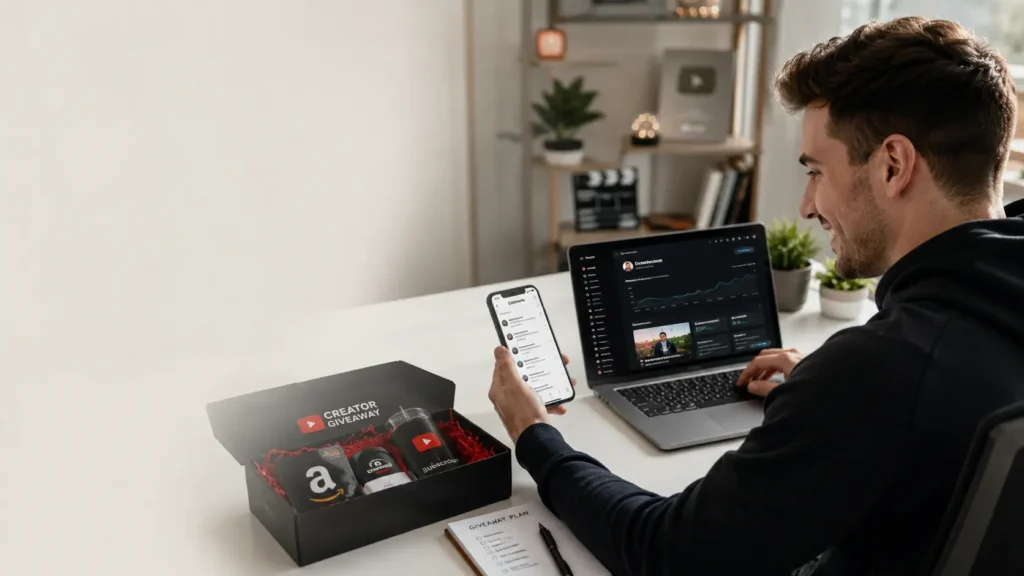
YouTube giveaways are one of the fastest ways to boost subscribers, skyrocket engagement, and build a loyal community around your channel. Done right, a single giveaway can deliver thousands of new subscribers in days.
But most creators either skip the planning, break YouTube’s rules without knowing it, or worst of all pick winners unfairly, destroying their credibility. This 2026 guide walks you through every step, including the right way to randomly select a winner from your comments.
Why YouTube Giveaways Work in 2026
YouTube’s algorithm rewards engagement and nothing spikes comments, likes, and shares faster than a well-structured giveaway. Here’s why savvy creators still swear by them:
Subscriber Spikes
Channels with comment-based giveaways often see 3–10× their normal subscriber growth rate during the campaign.
Comment Flood
More comments = stronger algorithmic signals, pushing your video to more recommended feeds.
Community Trust
Transparent, fair giveaways build trust and loyalty that converts viewers into long-term fans.
Shareability
People share giveaways with friends, giving your channel organic reach beyond your existing audience.
What You Need Before Starting
Before you hit record, make sure you have these in place:
- A YouTube channel in good standing (no strikes or policy violations)
- A clear prize (physical product, gift card, digital product, or service)
- A budget including prize cost, shipping, and any promotion spend
- A timeline start date, end date, and announcement date
- An entry method (comment, subscribe, like, or a combination)
- A fair winner-selection tool more on this below
1. Define Your Goal & Prize
Every giveaway needs a north star metric. Are you trying to hit a subscriber milestone? Drive views on a specific video? Promote a new product? Your goal shapes everything.
Choosing the Right Prize
The prize must be relevant to your niche. A gaming channel giving away an iPhone will attract thousands of non-gaming subscribers who unfollow the moment the giveaway ends. That hurts your channel’s watch time and audience retention metrics.
Pro Tip: The best prize is something only your ideal viewer would want. A tech reviewer giving away earbuds gets better long-term subscribers than giving away general gift cards.
Prize Ideas by Niche
| Niche | Prize Ideas | Avg. Engagement Lift |
|---|---|---|
| Gaming | Console, game keys, headset, controller | +250–400% |
| Beauty | Makeup kit, skincare bundle, beauty box | +180–300% |
| Tech | Earbuds, keyboard, webcam, software license | +300–500% |
| Fitness | Resistance bands, supplements, gym bag | +200–350% |
| Education | Online course, book bundle, 1-on-1 coaching | +150–250% |
2. Choose Your Entry Method
The entry method determines how easy or competitive your giveaway is. The most popular methods for YouTube in 2026:
Comment to Enter (Most Popular)
Ask viewers to leave a comment a keyword, answer a question, or tag a friend. Generates massive comment engagement and is easy to pick from randomly.
Like + Subscribe
Requires viewers to like the video and subscribe. Great for channel growth but harder to verify at scale.
Multi-Platform Entry
Comment on YouTube + follow on Instagram/X. Expands reach across platforms simultaneously.
Email Sign-Up
Entry via email list builds your owned audience beyond YouTube. Usually combined with comment entry.
Recommended for 2026: “Comment with [keyword] below to enter” is the simplest, most algorithm-friendly method. It’s easy to track and perfectly compatible with random comment pickers.
3. Know YouTube's Giveaway Rules
YouTube takes promotions seriously. Violating their policies can result in video removal, strikes, or channel termination. Here’s what you must know:
YouTube's Official Requirements
- You must disclose your promotion in the video and description
- You cannot require users to pay to enter (no purchase necessary)
- Giveaways must comply with local laws especially important for alcohol, tobacco, or age-restricted prizes
- Do not ask users to create multiple accounts to gain more entries
- Do not use misleading thumbnails or titles to promote your giveaway
- Always include official rules with eligibility, entry period, and prize details
Always check YouTube’s official policies as they update periodically.
4. Create & Publish Your Giveaway Video
The video is your giveaway’s HQ. Make it compelling, clear, and optimized for search.
Video Checklist
Hook in the first 5 seconds: Say “I’m doing a giveaway” immediately to stop the scroll.
State the rules clearly on-screen: Show how to enter, eligibility, and deadline in the video itself.
SEO-optimized title & description: Include “giveaway”, your niche, and the prize in the title. Add full rules in the description.
Clickbait-free custom thumbnail: Show the prize clearly. Bold text like “FREE” or “WIN” works but must be accurate.
Pin the rules comment: Pin your own comment with entry details so every viewer sees it first.
Set a clear end date: Creates urgency. 7–14 days is the sweet spot for most channels.
5. Promote Your Giveaway
Publishing the video is just the start. Amplify your reach through every channel you have:
- YouTube Community Posts : Pin a Community tab post about the giveaway daily
- YouTube Shorts : Create a 30-second teaser driving people to the main video
- Instagram / TikTok / X (Twitter) : Share the giveaway link with native content on each platform
- Email Newsletter : If you have a list, blast it with the giveaway details
- Collaborations : Partner with a creator in your niche for a co-hosted giveaway to double your reach
- End Screens & Cards : Add a card to every video you upload during the giveaway period
6. Pick a Winner Fairly (Use This Free Tool)
This is where most creators get it wrong. Manually scrolling through hundreds (or thousands) of comments and “picking” a winner yourself looks biased even if it isn’t. Your audience will question the result, and one person calling it rigged can spiral into a PR nightmare.
The solution? Use a dedicated, transparent random comment picker. It selects a winner from your actual YouTube comments at random no bias, no manipulation, fully verifiable.
How to Use the YouTube Comment Picker (Step-by-Step)
- Go to calcxi.com/youtube-comment-picker it’s completely free, no sign-up required.
- Paste your YouTube video URL into the input field and click “Load Comments”.
- Apply filters if needed: filter by keyword (e.g., only comments containing “giveaway”) or exclude duplicate commenters.
- Click “Pick Winner”: the tool randomly selects a comment and displays the winner’s username, comment, and profile picture.
- Screenshot the result and include it in your winner announcement video to prove full transparency.
Pro Tip: Screen-record your session using the YouTube Comment Picker and include that footage in your winner announcement video. This is the gold standard for giveaway transparency viewers can see the live, unedited random draw.
7. Announce the Winner & Follow Up
The announcement is almost as important as the giveaway itself. Handle it wrong and you lose trust even with the winner.
Winner Announcement Best Practices
- Make an announcement video, even a short 2–3 minute video builds huge goodwill
- Tag the winner in a comment on the original giveaway video
- Reach out via YouTube DM or the email they provide, set a 48–72-hour response window
- Have a backup winner ready in case the original winner doesn’t respond
- Share the winner’s reaction (with their permission), this content builds massive trust
Beware of Scammers: After announcing a winner, scam accounts impersonating your channel will DM the winner asking for personal info or payment. Warn your winner about this explicitly and tell them you will never ask for payment.
Common YouTube Giveaway Mistakes to Avoid
Irrelevant Prize
An off-niche prize attracts low-quality subscribers who drop off after the giveaway, tanking your retention metrics.
No Official Rules
Skipping official rules is a legal risk and violates YouTube’s policies. Always include terms in your description.
Picking Winners Manually
Any manual selection looks biased. Always use a verified random tool like the YouTube Comment Picker.
Ignoring the Winner
Not following up or shipping the prize destroys your credibility permanently. Always fulfill your promise.
Too Many Entry Steps
Requiring 5+ steps to enter reduces participation dramatically. Keep it to 1–2 actions maximum.
No Announcement Video
Skipping the winner announcement erodes trust. People want to see the result, it validates the entire giveaway.
Ready to Pick Your Giveaway Winner?
Use our free YouTube Comment Picker tool to randomly and fairly select a winner from your video comments no download, no sign-up, instant results.
Use Free Comment Picker NowHow to Do a Giveaway on YouTube: FAQs
Can I do a YouTube giveaway with less than 1,000 subscribers?
Absolutely. There’s no minimum subscriber requirement. In fact, giveaways are one of the best strategies for growing a small channel. Even 50–100 genuine new subscribers can transform a channel’s algorithmic performance.
How long should a YouTube giveaway last?
7–14 days is the sweet spot. Shorter giveaways create urgency; longer ones give more people time to discover your video. Avoid anything over 30 days, engagement drops sharply after the initial spike.
Is the YouTube Comment Picker free to use?
Yes, the YouTube Comment Picker at calcxi.com is completely free. No account required, no watermarks, no limits. Just paste your video URL and pick your winner instantly.
Do I need to pay taxes on giveaway prizes in the US?
In the US, prizes over $600 may be reportable to the IRS. Both the sponsor (you) and the winner may have tax obligations. Consult a tax professional if your prize value is significant. For international giveaways, local laws vary significantly.
What should I do if the winner doesn't respond?
State in your official rules that winners have 48–72 hours to claim. If they don’t respond, use the comment picker to draw a new winner. Document both selections in your announcement video for full transparency.
Can I do a giveaway on YouTube without spending money?
Yes, digital prizes like software licenses, online course access, exclusive content, or your own products/services cost little to nothing to deliver. Some creators partner with brands who provide prizes in exchange for promotion, effectively making the giveaway free.
Final Thoughts
Running a YouTube giveaway in 2026 is still one of the most powerful growth levers available to creators. The formula is simple: offer a relevant prize, make it easy to enter, follow YouTube’s rules, and always select a winner transparently.
The one tool that separates credible giveaways from questionable ones is a proper random comment picker. Bookmark calcxi.com/youtube-comment-picker it’s free, instant, and will make every giveaway you run bulletproof in terms of fairness.
Published on calcxi.com · Updated June 2026 · Topic: YouTube Giveaways
Written & verified by
B.Tech Computer Science · 8 years in web development & SEO · Bhilwara, India
About ·
LinkedIn ·
Report an error