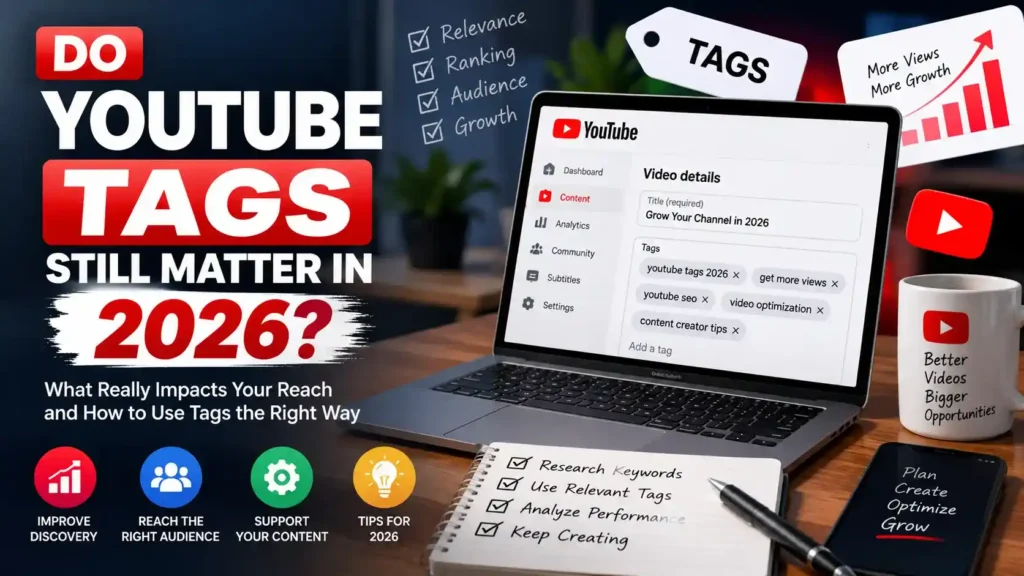
Do YouTube tags still matter? YouTube has actually answered this question for you, in its own support documentation, in plain English, and most creators have never read it. The short version, straight from YouTube’s Help Center: your title, thumbnail, and description are more important pieces of metadata for your video’s discovery, tags can be useful if your content is commonly misspelled, and otherwise, tags play a minimal role in your video’s discovery.
That single sentence settles most of the debate, and yet the debate keeps happening, because “minimal role” is not the same as “zero role,” and knowing exactly where that small remaining role sits is genuinely useful. This guide walks through what YouTube tags 2026 actually do, why the platform moved away from relying on them, the narrow situations where they still earn a few minutes of your time, and a practical way to see exactly which tags top-performing videos in your niche are actually using, rather than guessing.
We also clear up the confusion between tags and hashtags, which are two completely different pieces of metadata that get mixed up constantly.
What YouTube Itself Says About Tags
Most articles debating whether tags matter never actually link to what YouTube has published on the topic. It is worth quoting directly, because it removes almost all the guesswork.
From YouTube's Own Help Center
"Your video's title, thumbnail, and description are more important pieces of metadata for your video's discovery. These main pieces of info help viewers decide which videos to watch. Tags can be useful if the content of your video is commonly misspelled. Otherwise, tags play a minimal role in your video's discovery."
Notice exactly what this says and what it does not say. It does not say tags do nothing. It says they play a minimal role, and it names exactly one specific job they are still useful for: catching commonly misspelled versions of your topic. Everything else in this guide is really just unpacking the implications of that one paragraph.
YouTube’s Creator Liaison, the official channel the platform uses to communicate directly with creators, has reinforced this publicly as well, describing tags as a low-weight ranking signal and pointing creators toward titles, descriptions, and spoken content in the video itself as the things that actually carry weight. When both the written documentation and the platform’s own public spokesperson say the same thing, that is about as close to a definitive answer as you are going to get on this question.
Why YouTube Tags 2026 Matter So Much Less Than They Used To
Tags were not always a minor signal. In the earlier days of YouTube, roughly 2014 to 2018, tags carried real weight because YouTube’s systems had a much shallower understanding of what a video actually contained. A tag field was one of the only structured, machine-readable ways to tell the platform what a video was about.
That changed as YouTube’s content understanding systems improved. The platform now reads a lot more directly from the video itself: automatic captions transcribe the spoken audio, on-screen text is detected, the title and description are processed with natural language understanding rather than simple keyword matching, and viewer behavior after a search, whether someone watches, skips, or searches again immediately, feeds back into how well a video actually satisfied that search.
In practice, this means YouTube can now understand what your video is about from watching and listening to it, in a way it simply could not a decade ago. A hidden metadata field filled with keywords becomes redundant once the platform can extract the same information directly from the content and from how real viewers respond to it. Tags did not get switched off. They got outcompeted by better signals.
The One Job Tags Still Do Well
YouTube’s own documentation names exactly one scenario explicitly: commonly misspelled content. This is worth taking seriously rather than treating as a throwaway line, because it describes a real, specific mechanism.
Your title needs to read cleanly for a human being. You are not going to write “Beyonce Beyoncé Knowles concert review” in a title, because it looks broken and unprofessional. But some portion of your audience might search using the accented spelling, the unaccented spelling, or an entirely different variant, and tags give you a place to quietly include those variants without cluttering the one piece of text every viewer actually sees.
Genuinely Ambiguous Spellings
Names, places, and products with more than one accepted spelling, or that get commonly typed incorrectly, benefit from a tag covering the alternate version.
Acronyms and Abbreviations
A topic that is sometimes called by its full name and sometimes by its abbreviation can be tagged with both, without forcing an awkward slash into the title.
Guest or Brand Names That Get Mistyped
If a video features a guest or product whose name is frequently misspelled in search, a couple of tags covering the common variants is a genuinely low-effort, real benefit.
New or Small Channels Establishing Topic
A brand new channel has no library history for YouTube to lean on yet. A handful of clean, literal tags give the platform a small amount of extra context while that history is still being built, though this effect fades as a channel accumulates a consistent upload history.
What This List Does Not Include: Notice that “broad discovery keywords,” “trending topics,” and “high-volume search terms” are not on this list. Those are exactly the kinds of tags most tag generator tools and outdated tutorials push creators toward, and they are precisely the category YouTube’s documentation is describing as playing a minimal role. Broad, popular tags are the ones doing the least work.
YouTube Tags vs Hashtags: Two Completely Different Things
This confusion comes up constantly, and clearing it up genuinely matters, because tags and hashtags behave in almost opposite ways.
| Feature | Tags | Hashtags |
|---|---|---|
| Where they live | Hidden upload metadata field | Visible, typed into title or description |
| Visible to viewers | No | Yes, clickable |
| Creates a browsable page | No | Yes, a dedicated hashtag results page |
| Main function | Disambiguation and misspelling coverage | Topical discovery and browsing |
Clicking a hashtag on YouTube takes a viewer to a dedicated page showing other videos that used the same hashtag, functioning much closer to a browsable topic feed. Tags do not do this at all. They sit invisibly in the background as metadata. This is why some creators genuinely see more practical benefit from a few well-chosen hashtags than from an entire tag field, since hashtags create an actual clickable discovery path while tags remain a quiet, minor signal working behind the scenes.
How Many YouTube Tags Should You Actually Use?
The tag field technically accepts up to 500 characters total. Filling every available character does not create a proportional benefit, and YouTube’s own policies explicitly warn against excessive tagging as a form of spam or deceptive metadata.
A practical range that most creators and YouTube SEO practitioners converge on is somewhere between 5 and 12 tags per video, focused specifically on the categories covered in the section above: your exact topic phrase, one or two close spelling variants, any relevant acronym, and names that are genuinely prone to being mistyped. Past that point, additional tags are competing for attention against a signal YouTube has already told you is minor, which is not where your remaining time is best spent.
A Useful Mental Test: Before adding a tag, ask whether it describes something your title and description have not already made clear, or whether it exists purely because it has high search volume. If it is the former, it is probably worth including. If it is the latter, it is very likely one of the low-value tags YouTube’s documentation is describing as minimal, and your two minutes are better spent tightening the title instead.
Where YouTube SEO Effort Actually Pays Off in 2026
If tags are a minor signal, the natural follow-up question is where the major signals actually live. YouTube’s own documentation names the answer directly: title, thumbnail, and description. Here is what that looks like in practice, roughly in order of how much attention each one deserves.
Title
Sets the query match and the click promise simultaneously. A precise, accurate title does more for both search ranking and click-through rate than any tag field ever could.
Thumbnail
Determines whether someone clicks at all. Even a perfectly optimized title and description mean nothing if the thumbnail fails to earn the click in a crowded results page.
Description
Provides real natural-language context that a tag list cannot. The first two or three lines especially do genuine work explaining what the video covers, in a way YouTube's language processing can actually parse for meaning.
The Spoken Opening and Retention
What you actually say in the first 15 to 30 seconds, and whether viewers stay past that point, feeds directly into YouTube's understanding of whether the video satisfied the search or recommendation that brought someone there. This is a much stronger and much harder to fake signal than anything sitting in a hidden metadata field.
A useful, honest reordering of effort for 2026: spend the bulk of your metadata time on the title and thumbnail together, since those two elements work as a single decision point for a viewer scrolling past your video. Spend the next portion on the first few lines of the description. Spend a couple of minutes, genuinely no more, on tags, and treat that time as cleanup rather than strategy.
If you want a structured way to test and improve titles specifically, since it is the single highest-leverage piece of this puzzle, the YouTube Title Generator is a fast way to draft several strong angles before picking the one that best balances clarity and curiosity. Pairing a strong title with a thumbnail that matches its promise is covered in more depth in our guide on YouTube thumbnail sizing and design.
How to See What Tags Are Actually Working (Free Tool)
Even with tags playing a minor role, the two minutes worth spending on them are better spent informed than guessed. Rather than typing your topic into a generic keyword tool and hoping the suggestions are relevant, you can look directly at what top-ranking videos in your exact niche are actually tagged with. This tells you what real, established channels in your space consider relevant enough to include, including the misspellings and variants YouTube’s documentation specifically calls out as worthwhile.
The YouTube Tag Extractor at Calcxi pulls the tags from any public YouTube video’s page metadata instantly, giving you a real, verified list rather than a generic suggestion.
How to Use This Without Just Copying Competitors
Extracted tags are a diagnostic input, not a list to duplicate wholesale onto your own video. A tag pulled from a much larger channel often includes broad phrases that channel’s own history and content already justify, but that your video and channel may not. The useful exercise is looking across several top-ranking videos in your specific niche and noting which terms repeat consistently, since a term that shows up across multiple unrelated channels covering the same topic is more likely to reflect a genuine spelling variant or naming convention worth including, rather than one channel’s individual habit.
- Check 5 to 10 top-ranking videos for your target topic, not just one
- Note the tags that repeat across multiple unrelated channels, which is a stronger signal than a single channel’s tag choice
- Only borrow terms your own video genuinely supports in its title, description, or spoken content
- Ignore broad, generic tags that appear on every video in the niche regardless of specific topic, since these are exactly the low-value tags YouTube’s documentation describes
See What Tags Top Videos Actually Use
Paste any public YouTube URL and see its exact tag list instantly. Free, no login required.
🏷️ Extract Tags FreeTag Habits Worth Dropping in 2026
Filling All 500 Characters
Using the full character allowance because the field allows it does not create a proportional benefit, and YouTube’s spam policies explicitly discourage excessive tagging.
Reusing One Master Tag List on Every Upload
Pasting the same channel-wide tag block onto every video removes the specificity that made the misspelling use case worthwhile in the first place. Each video’s tags should reflect that video, not the whole channel.
Adding Tags for Unrelated Trending Topics
Tagging a video with a popular but unrelated trending term to try to catch overflow search traffic creates mismatched metadata. Since YouTube also reads the video’s actual spoken content and description, an irrelevant tag simply gets ignored or, at worst, hurts topic clarity.
Spending More Time on Tags Than the Title
Given YouTube’s own documentation ranks tags below title, thumbnail, and description in importance, an upload workflow that spends the most time on tags has the priority order backwards.
Leaving Old Tags in Place After Retitling a Video
If a video’s title or angle changes after publishing but its tags still reflect the old framing, the metadata sends mixed signals about what the video is actually about.
Translating Tags Literally for International Audiences
A word-for-word translation of a tag often does not match how a real audience in that language actually searches. Checking real regional terms or misspellings, rather than assuming a direct translation, produces far more useful tags.
Frequently Asked Questions
Do YouTube tags still matter in 2026?
Yes, but only in a minor way. According to YouTube’s own Help Center, title, thumbnail, and description are more important pieces of metadata for a video’s discovery, and tags otherwise play a minimal role. Tags are specifically named as useful when a video’s content is commonly misspelled. Beyond that narrow use case, tags do not meaningfully move discovery in 2026, and time spent optimizing them is better spent on the title, thumbnail, and description instead.
How many YouTube tags should I use per video?
A practical range is 5 to 12 focused tags per video, covering your exact topic phrase, one or two close spelling variants, and any relevant acronym or commonly mistyped name. The field technically allows up to 500 characters, but filling that entire space does not create a proportional benefit, and YouTube’s own spam policies discourage excessive tagging. More tags beyond the useful range add cleanup work without a corresponding gain in discovery.
What is the difference between YouTube tags and hashtags?
Tags are hidden metadata added in the upload flow, invisible to viewers, that serve mainly to disambiguate spelling variants and niche terms. Hashtags are visible words prefixed with a hash symbol, typed directly into a title or description, and clicking one takes a viewer to a dedicated browsable page of other videos using the same hashtag. Hashtags create an active discovery pathway that tags simply do not, which is why the two should not be treated as interchangeable pieces of metadata.
What YouTube SEO factors matter more than tags in 2026?
According to YouTube’s own guidance, title, thumbnail, and description all outrank tags in importance for a video’s discovery. Beyond metadata, YouTube’s systems also weigh click-through rate, audience retention, and whether viewers appear satisfied after finding a video through search, meaning the spoken content and opening moments of a video itself function as a discovery signal that a hidden tag field cannot replicate.
Can I see what tags other YouTube videos are using?
Yes. Tags are embedded in a video’s public page metadata, which means a tool can extract them even though they are not visibly displayed to viewers. The YouTube Tag Extractor at Calcxi lets you paste any public video URL and instantly see its full tag list. Checking several top-ranking videos in your niche this way is a more evidence-based approach than guessing at tags or relying purely on a generic keyword suggestion tool.
Will adding more tags help a video that is not performing well?
Rarely on its own. If a video is underperforming, the more likely culprits are the title and thumbnail failing to earn clicks, the opening not delivering on what was promised, or the topic itself having limited genuine demand. Since YouTube’s own documentation describes tags as playing a minimal role in discovery, adding more of them to an already underperforming video is unlikely to meaningfully change its trajectory.
Reviewing the title, thumbnail, and the first 15 to 30 seconds of the video is a more productive place to diagnose the actual problem.
The Bottom Line
Do YouTube tags still matter? YouTube itself has answered this in writing: title, thumbnail, and description matter more, tags help mainly with commonly misspelled content, and otherwise they play a minimal role. That is not an opinion or a guess based on watching rankings shift. It is a direct quote from YouTube’s own Help documentation.
The practical takeaway is straightforward. Spend two minutes on 5 to 12 focused tags covering genuine spelling variants and niche terms, and spend the rest of your metadata time on the title, thumbnail, and description, where the actual leverage lives in 2026.
If you want to base your small tag set on real evidence rather than guesswork, use the YouTube Tag Extractor to see exactly what tags top-ranking videos in your niche are actually using, then apply the pattern that repeats, not the full list of any single competitor.
Published on calcxi.com · · Source: YouTube Help Center

Written & verified by
B.Tech Computer Science · 8 years in web development & SEO · Bhilwara, India
About ·
LinkedIn ·
Report an error